

Every digital business card includes a lead form. New inquiries from this form are automatically sent to the email address you entered on the card.
In other words, the email address entered in the “Email” field of your digital business card, which customers can also use to email you directly, is the same address that receives leads submitted through the contact form at the bottom of the card.
If you did not see a lead or want to make sure all inquiries were received, open your personal dashboard and go to the “Leads” tab. There you can view all form submissions and filter them by month.
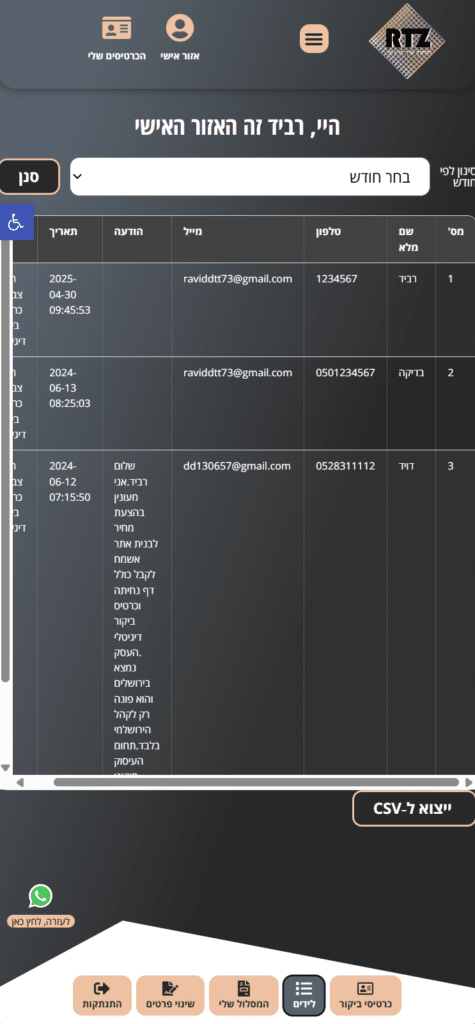
You can also export all leads to a CSV file for import into your CRM or for tracking in an Excel spreadsheet.